How to Draw a Radius on Google Maps
By Marko Visic · Updated September 24, 2026
Google Maps is the most popular mapping platform in the world, but it's missing one feature that millions of people search for: the ability to draw a radius circle on the map.
As of writing, Google Maps does not offer a built-in radius drawing tool — there is no UI in the web app, mobile app, or Google My Maps that lets you click a point and draw a circle at a specific distance. Below are the workarounds people commonly use to get a radius onto a Google Map, and a faster alternative.
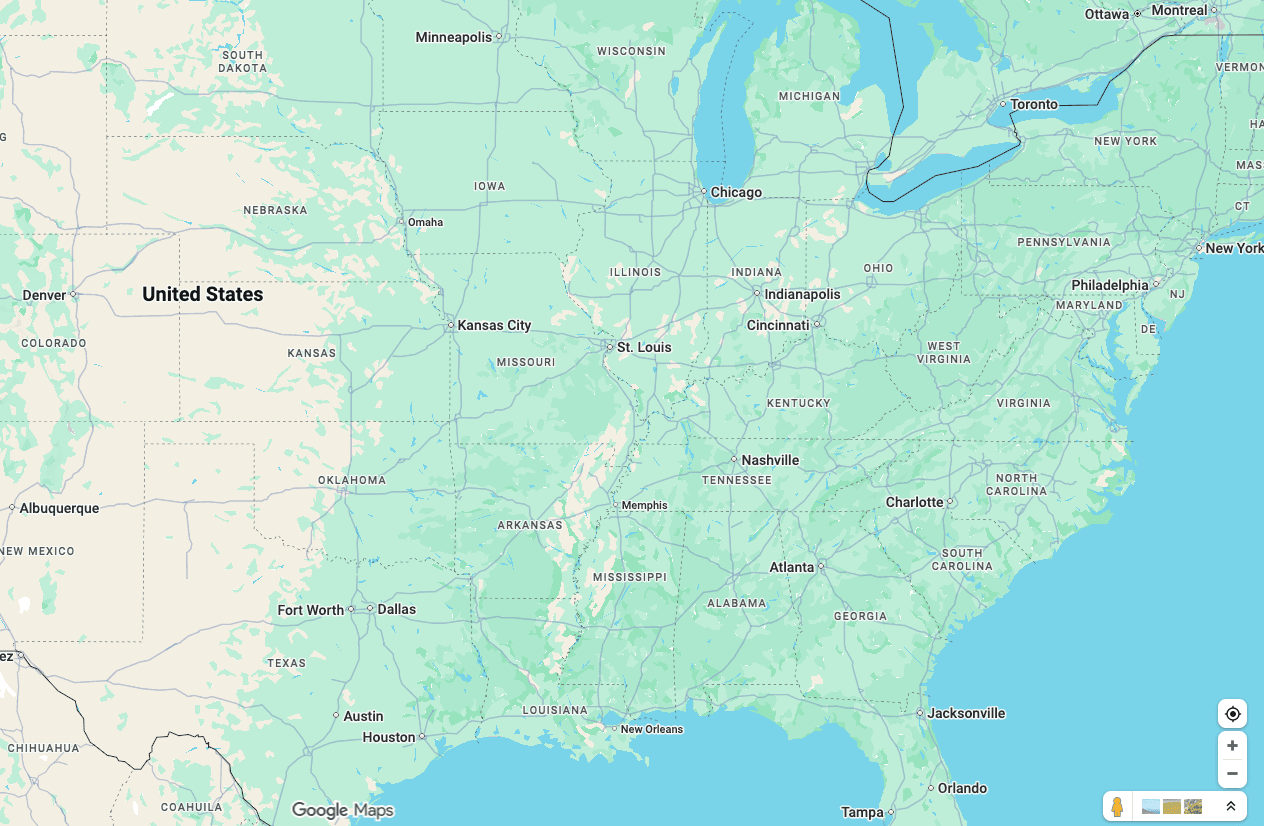
The fastest alternative is our free radius map tool — works instantly with no setup. If you specifically need the radius on a Google Map, the methods below cover it.
The fastest way to draw a radius around a point
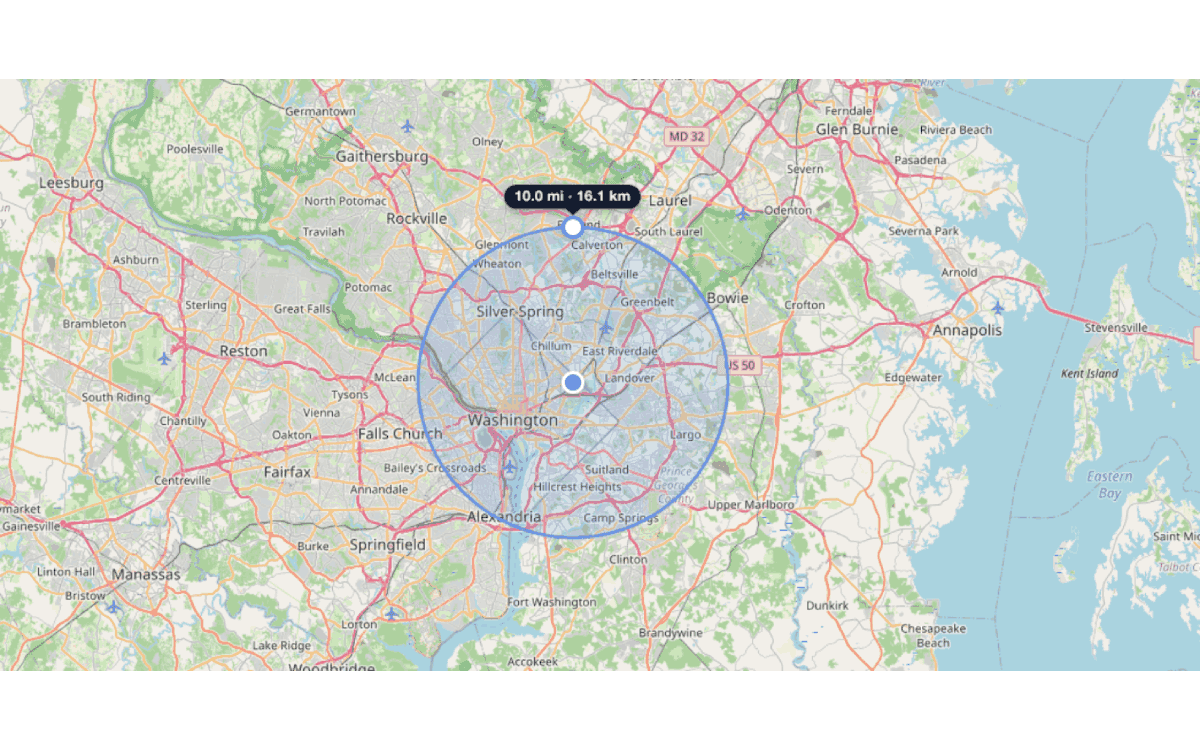
In a hurry? Open the free radius map tool, search an address or tap to drop a point, then set the distance in miles or kilometres — the circle appears in about ten seconds. If you specifically need the radius shown on a Google Map, use the KML → Google My Maps route (Method 2) below.
Method 1: Use a Third-Party Radius Tool (Recommended)
The simplest way to get a radius on a map is to skip Google Maps entirely and use a tool built specifically for this purpose.
How to do it:
- Open Map With Radius (or any radius tool — we explain why we built ours below).
- Type your address, city, or zip code in the search bar.
- Enter your desired radius distance (e.g., 10 miles, 5 km).
- The circle appears instantly on the map.
Why this works best: The tool is purpose-built for radius drawing. You get address search, adjustable circles, multiple radii, and shareable links — all the features Google Maps doesn't offer. The map uses OpenStreetMap tiles, which show the same streets, landmarks, and geographic detail you'd see on Google Maps.
Limitation: The map tiles look different from Google Maps. If you specifically need the Google Maps visual style or satellite imagery, see the Google My Maps, API, and Google Earth methods below.
How to Draw a Radius on Google Maps on Your Phone (iPhone & Android)
The Google Maps app for iPhone and Android has no radius or circle tool — only Measure distance, which is point-to-point. The quickest phone-friendly option is to open the radius map tool in your mobile browser: it is built mobile-first, so you can tap the map to drop a point, drag the edge to size the circle, and read the distance without installing anything.
To show the radius in the Google Maps app specifically, create the circle on a computer, export it as KML (Method 2), and import it into Google My Maps — your custom map then appears in the Google Maps app under your saved maps.
Method 2: KML File Import via Google My Maps
This method creates a circle in a KML file and imports it into Google My Maps — the standard route for getting a radius onto a Google Map.
How to do it:
- Generate a KML circle. You need a KML file containing a circle polygon. Create one with our tool (draw your radius, then click Export → KML) or use a KML circle generator.
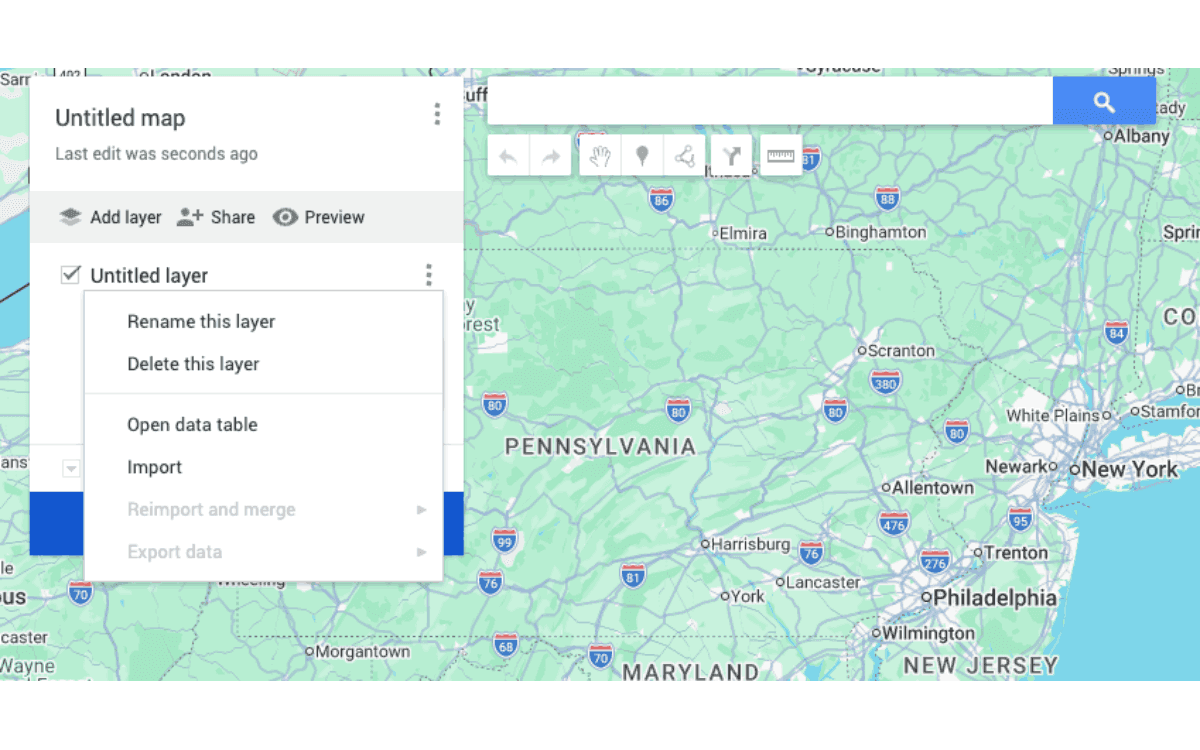
- Open Google My Maps. Go to mymaps.google.com, sign in with your Google account, and click Create a new map.
- Import the KML file. In the left-hand layer panel, click Import, then drag in or select your
.kml(or.kmz) file. The circle appears on the Google Map. - Adjust styling. Click the circle, then use the paint-can icon to change its fill colour, border colour, and opacity.
Limitations:
- Requires a Google account.
- You must generate the KML file externally first — Google My Maps cannot create circles from scratch.
- The circle is a polygon approximation, not a true geometric circle. At normal scales this is indistinguishable, but at very small radii the edges may appear slightly angular.
- You cannot easily resize the circle after import. To change the radius, you need to generate a new KML file and re-import it.
- Google My Maps caps each map at 10 layers and 2,000 features per layer (10,000 features per map) — fine for a handful of circles, a constraint for large datasets.
Method 3: Google Maps JavaScript API (Developers Only)
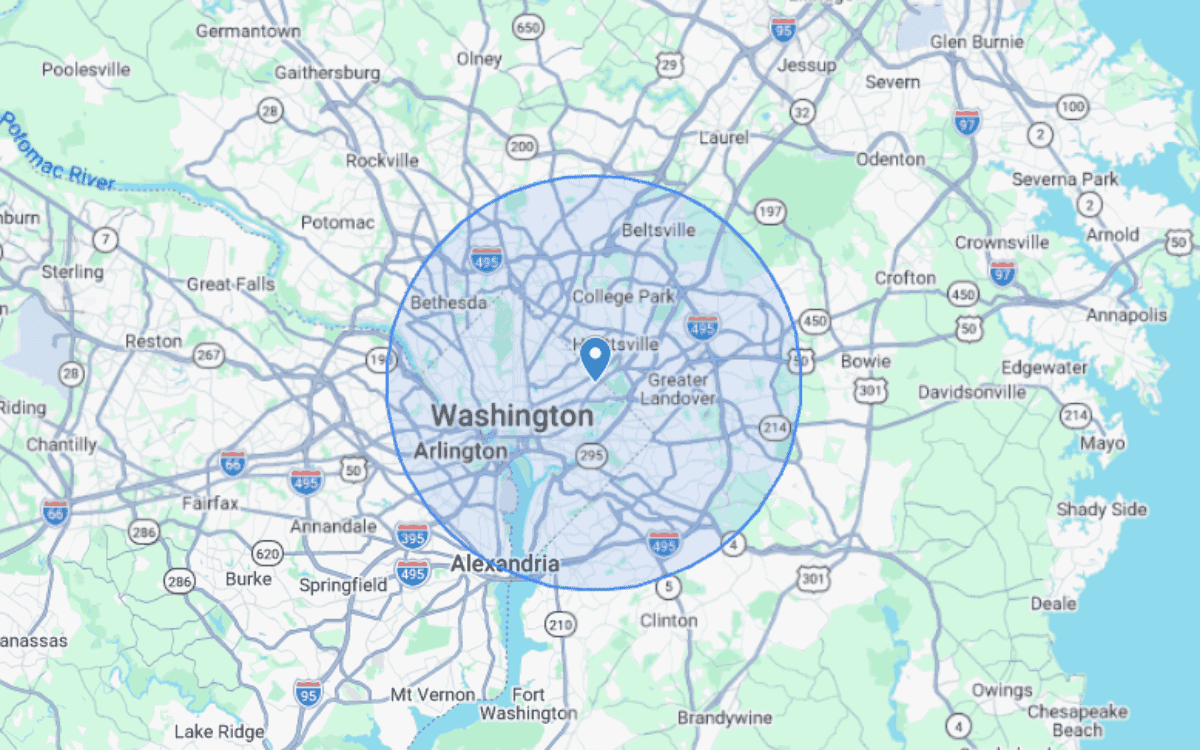
If you're a developer building a web application, the Google Maps JavaScript API has a google.maps.Circle class that renders a radius circle programmatically.
Example code:
const map = new google.maps.Map(document.getElementById("map"), {
  center: { lat: 40.7128, lng: -74.0060 },
  zoom: 11,
});

new google.maps.Circle({
  map: map,
  center: { lat: 40.7128, lng: -74.0060 },
  radius: 16093, // radius in meters (10 miles ≈ 16,093 m)
  fillColor: "#4285F4",
  fillOpacity: 0.2,
  strokeColor: "#4285F4",
  strokeWeight: 2,
});
Limitations:
- Requires a Google Cloud account and API key.
- Requires JavaScript coding knowledge.
- Google Maps Platform is pay-per-use. Google retired the flat $200 monthly credit in March 2025; the Maps JavaScript API now includes 10,000 free map loads per month, then charges $7 per 1,000 loads beyond that. A personal project often stays inside the free allowance, but a public, high-traffic site can incur real costs. See Google's official pricing for current rates.
- This is a development tool, not an end-user solution. Regular users searching “how to draw a radius on Google Maps” are looking for a ready-made tool, not a code snippet.
For reference, Google's official documentation on the Circle class: Google Maps JavaScript API — Circles
Method 4: Draw a Radius in Google Earth Pro
Google Earth Pro (the free desktop app) is a separate product from Google Maps, but it can draw a radius and is handy when you want satellite imagery behind the circle.
How to do it:
- Open the Ruler tool and switch to the Circle tab, then click your centre point and drag out to the radius distance.
- To keep the circle, save it as a placemark and style its colour and opacity.
- To move it to Google Maps: right-click the item and choose Save Place As to export a KML file, then import that KML into Google My Maps (Method 2).
Limitations:
- Desktop only — Google Earth for web does not support circle drawing.
- The radius lives in Google Earth; getting it onto Google Maps still requires the KML round-trip above.
Why Google Maps Doesn't Have a Radius Tool
Google Maps is designed primarily for navigation — getting directions from A to B. Features like radius drawing, area measurement, and zone visualization fall outside its core use case.
Google My Maps (the customization layer) supports markers, lines, and polygons, but does not currently offer a circle primitive. The Google Maps mobile app has a basic distance measurement tool, but it measures point-to-point distance, not a radius in all directions.
Whatever the reason, third-party tools have filled this gap for a long time. FreeMapTools is a long-running option, MapDevelopers is another popular one, and our tool, Map With Radius, is a more modern alternative built on open-source mapping technology.
Radius vs. Drive Time: Which Do You Need?
A common mistake is using a radius circle when you actually need a drive-time map. These serve different purposes:
| Radius Circle | Drive Time Map | |
|---|---|---|
| What it shows | Straight-line distance from a point | Actual travel distance by road |
| Shape | Perfect circle | Irregular polygon following roads |
| Best for | Quick distance estimates, coverage zones | Commute planning, delivery routing |
| Example | “Everything within 10 miles” | “Everything within a 20-minute drive” |
| Accounts for roads? | No | Yes |
| Accounts for traffic? | No | Depends on tool |
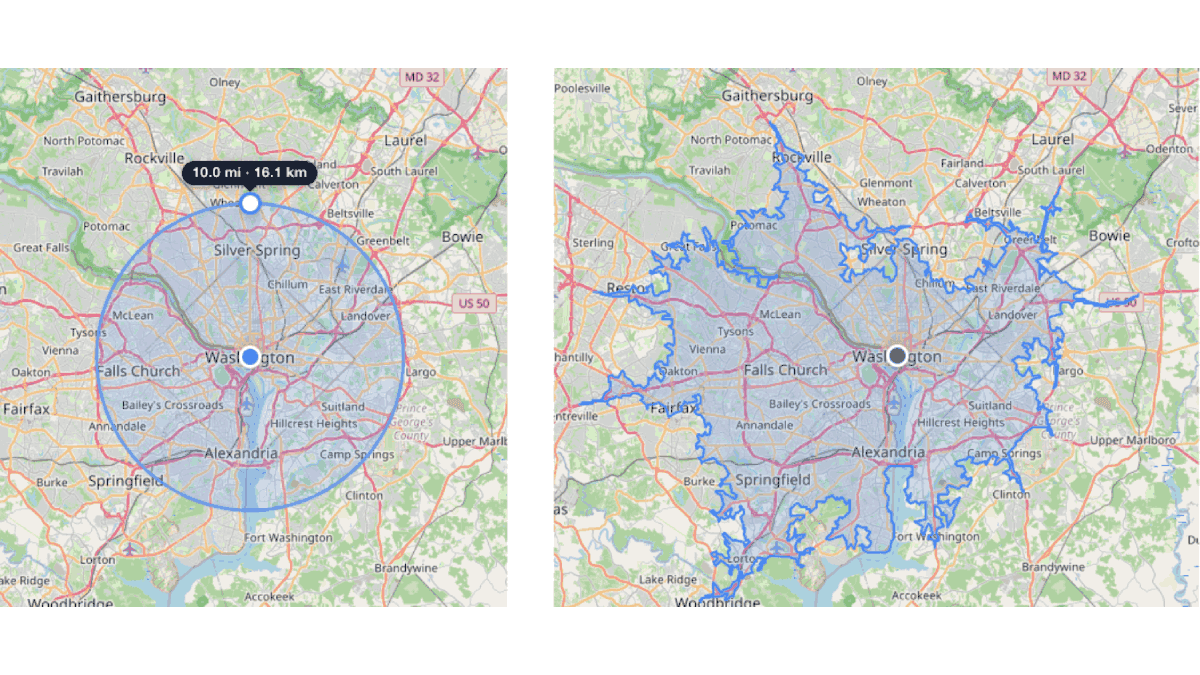
A 10-mile radius draws a perfect circle, but you can't actually reach every point inside that circle by road. Mountains, rivers, highways, and one-way streets all affect real-world accessibility. If you need to know what you can realistically reach, use our drive time map instead.
Frequently Asked Questions
Can you draw a radius on Google Maps without any tools?
How do I show a mile radius on Google Maps?
Is there a radius feature in Google Maps mobile app?
How do I draw a radius on Google Maps on iPhone or Android?
How do I draw a 1, 3, or 10 mile radius on Google Maps?
How do I measure a radius on Google Maps?
What's the best free alternative to Google Maps for radius drawing?
How do I draw a 5 km radius on Google Maps?
Related Tools
Ready to draw your radius?
Skip the workarounds. Draw a radius circle in seconds with our free tool.
Open Radius Map Tool